
Getting started on smithable.ai
Nothing to install: the app and its editor run in your browser, on our servers. A sandbox needs no sign-up and lasts two hours. To keep apps, publish them and hand them over, you need an invite to the private beta. To run everything on your own machine instead, see Getting started on your own machine.
Try it in a sandbox
On smithable.ai, write what you want in the box under "Let's smith something", or pick a card under "Or start from an example", which fills in the box for you. Then press Build it.
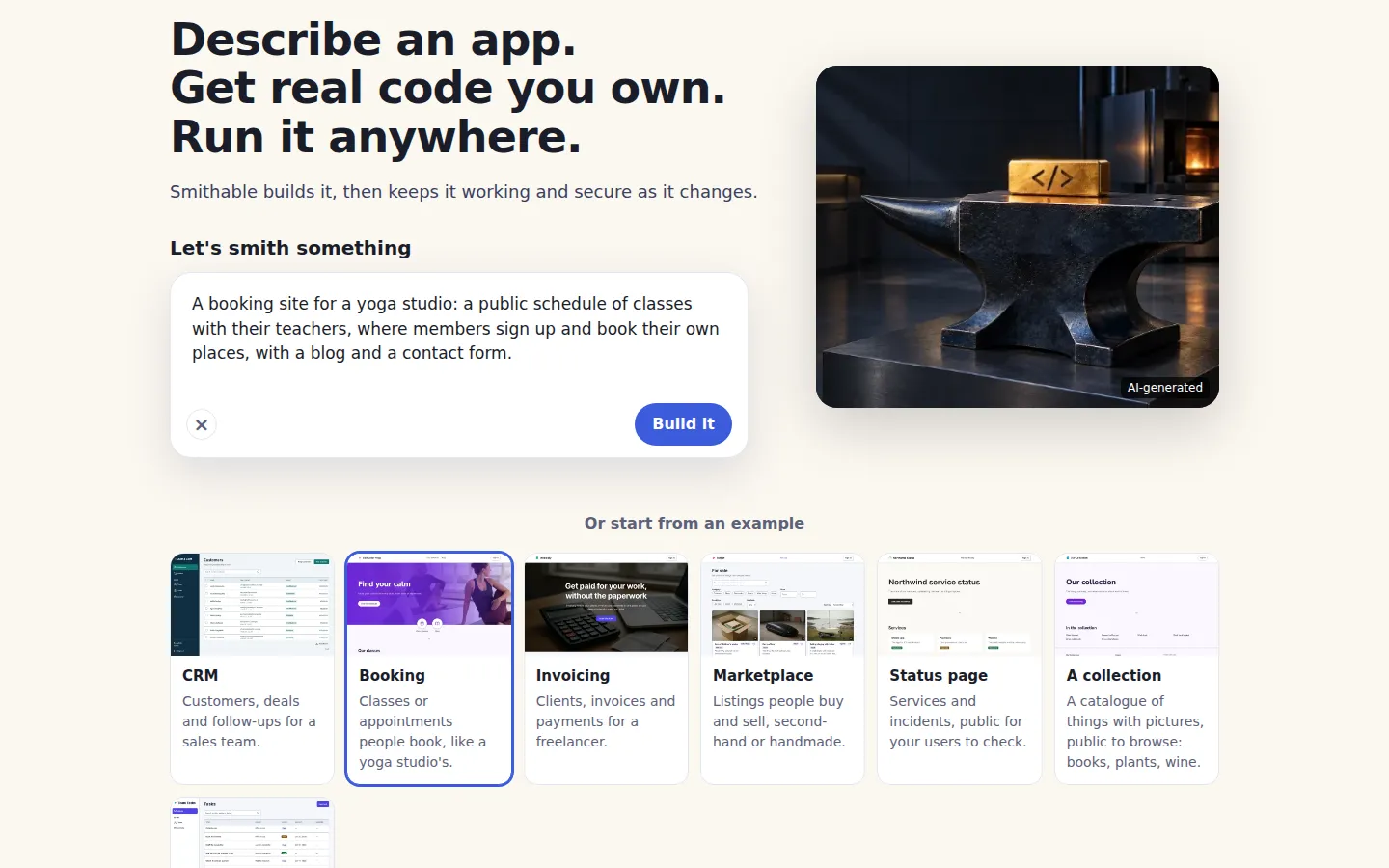
A starter is ready in a few seconds, because no model is needed for it. Something you wrote yourself is drafted from your words first; see AI setup for how that works.
The sandbox is yours for two hours from the moment it starts. Then it is removed with everything in it. One visitor can start three sandboxes an hour.
Change it in the browser
The sandbox opens Studio, the same editor smithable studio opens on your own machine, with the app's preview beside it. A short guide asks how you want to work:
- No code: change the app in plain words and forms.
- Code: the spec files, every operation as a form, the generated code's last change and the logs.
You can switch at the top at any time. Every change is an operation, so Undo takes it back.
Here, Look and the Coastal theme gave the yoga studio's app new colors and a new font. The line at the top says what changed, and Undo this change is right beside it:
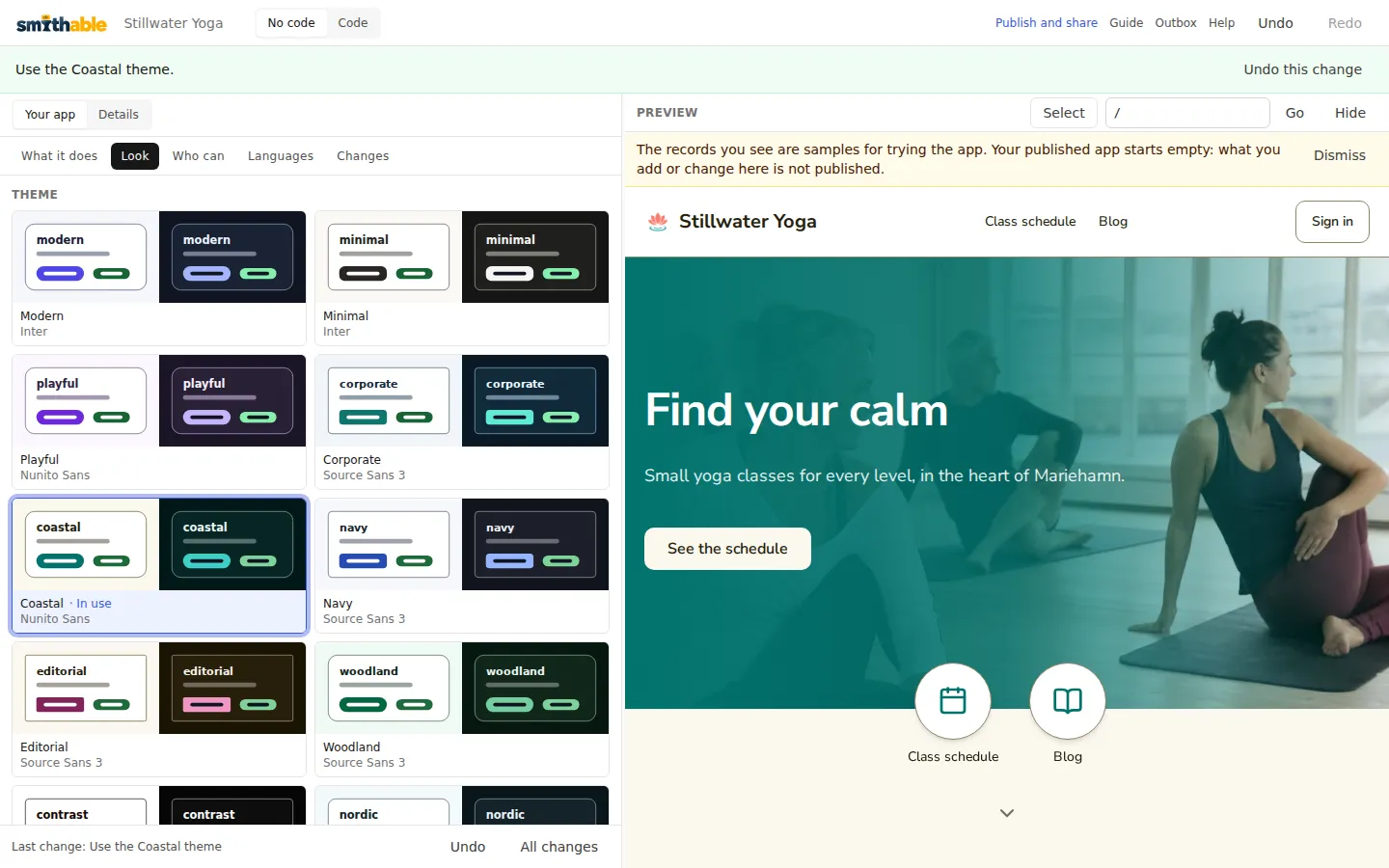
The records in the preview are samples for trying the app. The published app starts empty.
Publish and share
Publish and share in Studio's header opens the app's page. In a sandbox the page says so up front: the sandbox lasts two hours, publishing, sharing, downloading and connecting an AI agent need an invite, and everything goes when the sandbox ends. Ask for an invite if you want to keep what you build.
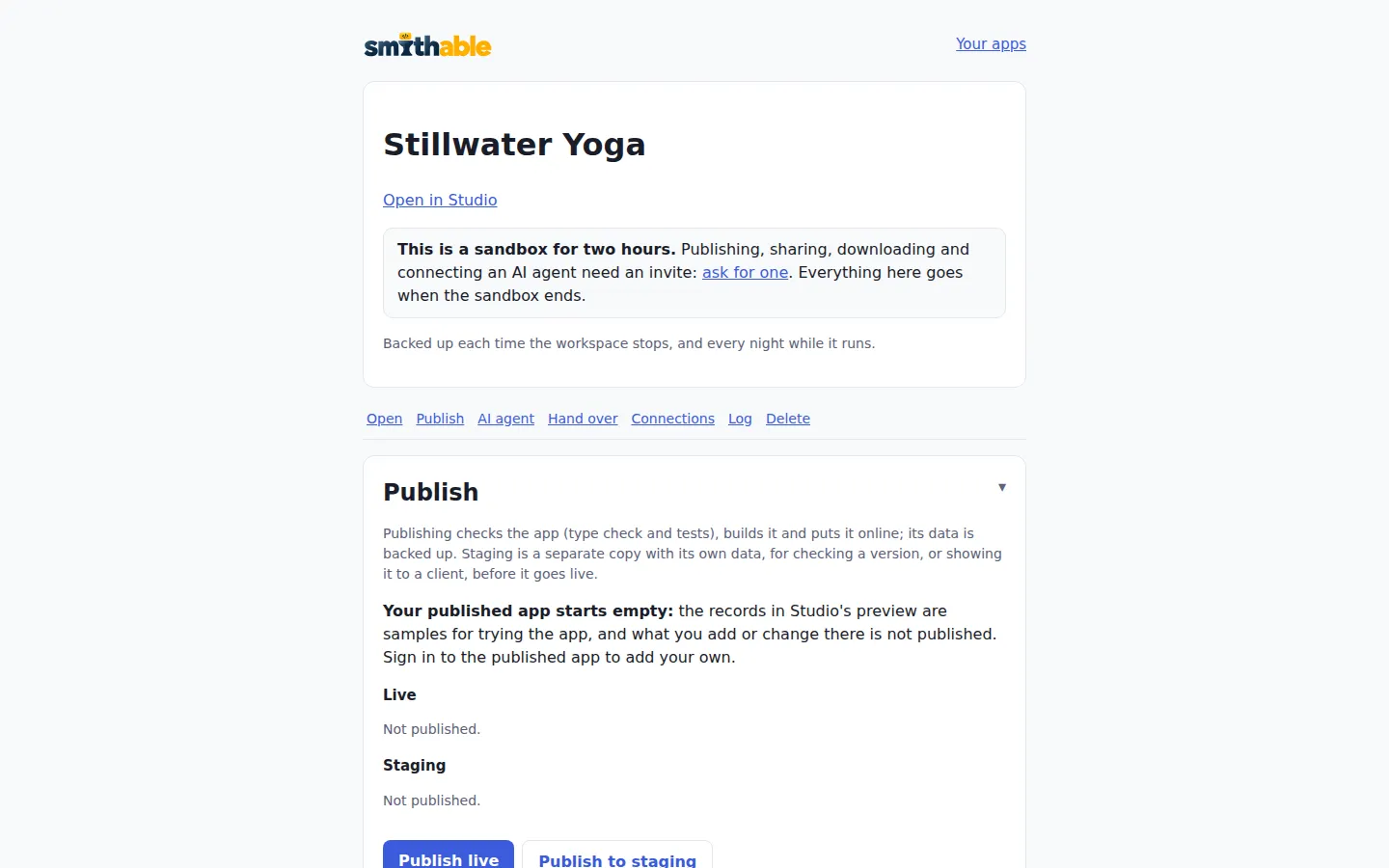
An invite comes by mail as a link. Opening it makes your account, with Google or with your name. Your apps lists your apps and keeps them until you delete them. New app starts another one, from a description or an example, just like the start page.
The app's page has these sections:
- Publish. Publish live checks the app (type check and tests), builds it and puts it online with backups. Its address is
a-<app id>.smithable.app. Publish to staging makes a separate copy with its own data, for checking a version or showing it to a client first. A problem the check finds, such as an administrator address nobody can receive mail at, is listed before you publish. - Your own domain. Once the app is live, this section shows an A record and a TXT record to add at your domain's provider. Enter the domain and save. The certificate is made at the first visit.
- Mail. The service sends the published app's mail, its sign-in codes included, so you don't need mail settings. The app's page tells you if mail is paused or addresses bounce.
- Sign in with Google. Under Connections, for a "Continue with Google" button beside the code by email. Sign in with Google shows how.
Where it runs
Every app is hosted in Sweden, with its backups in the same region. An account is global unless its owner makes it an EU account: Region on your account page shows the current region and changes it. An EU app also keeps its data and its AI calls in the EU. The questions and answers say more.
Take it with you
Hand it over on the app's page has two ways out:
- Download everything (.zip): the code with its whole history, the data (also as spreadsheet files), the uploads and a README, ready in under a minute.
- Make a transfer link: a one-time link, valid for seven days, that moves the app, with its published version and its data, to another account.
The download holds the app's code with its whole history (a Git bundle) and its data. Its README has the commands that make it an ordinary Smithable project again:
git clone project.bundle stillwater
cp -r data stillwater/
cd stillwater
pnpm install
smithable studio
Then every command in Getting started on your own machine works on it. The app also runs without Smithable (pnpm dev), and smithable detach removes what only Smithable uses.